


With more than 35,000 users including customers, sales force, logistics, merchandisers and administrative staff, Tiendapp is a digital ecosystem to connect suppliers with their customers. These are some of the projects I'm working on.
REDESIGN APP SHOPKEEPER
Understand and identify through quantitative and qualitative processes the obstacles and needs of our shopkeepers to provide them with a real and effective solution.
Project timeline
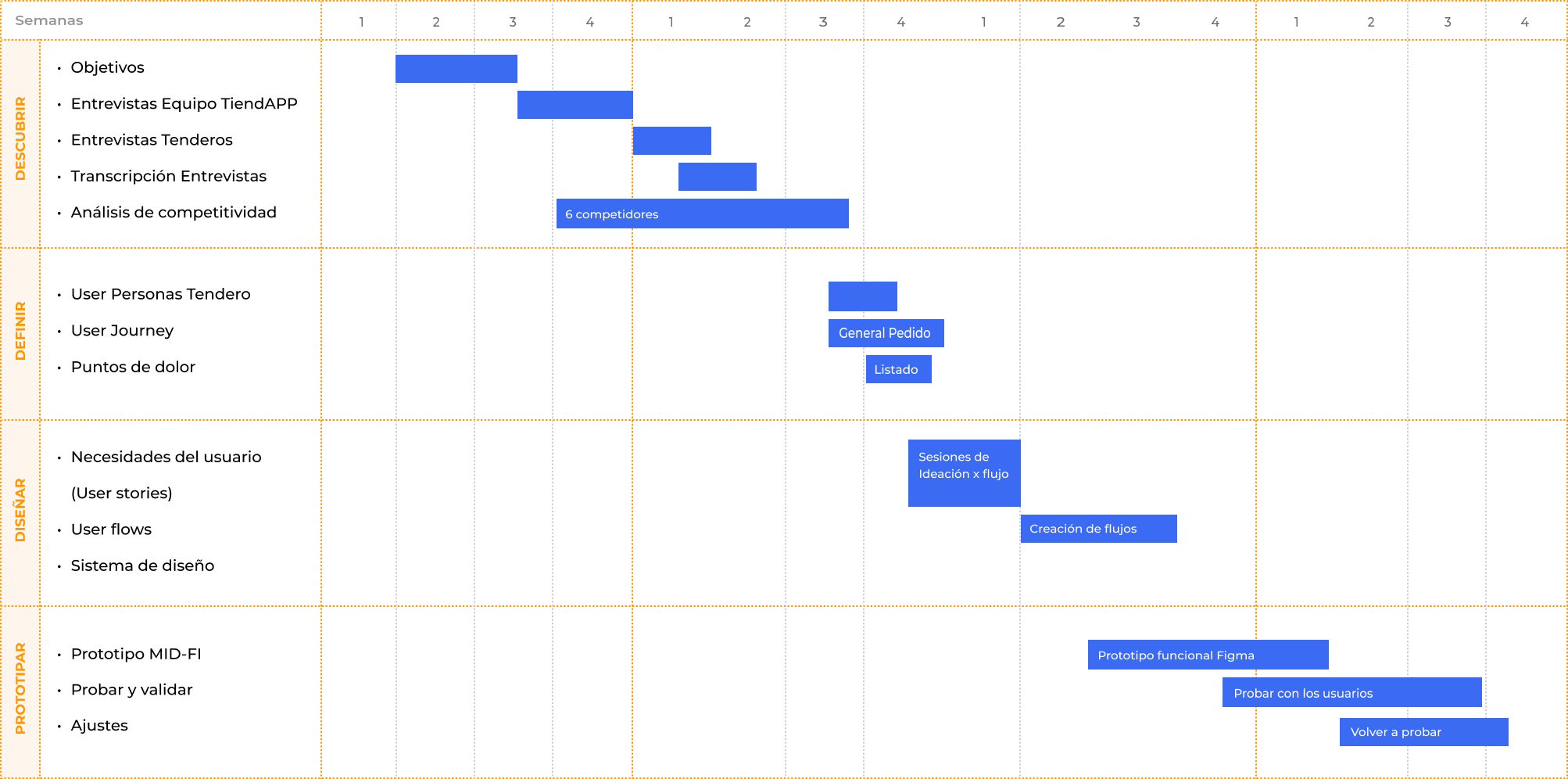
Research objectives
Challenge
Redesign Tiendapp to improve the experience of using the application flows and thus improve purchase rates.
General objective
Understand shopkeepers and their circumstances, when they need to place an order and first come to the app.
Specific objectives
1. Understand if it is clear to the Shopkeeper what the app is for.
2. Understand how a new user registers (Verification Code and Location).
3. Understand if the content grouping or architecture is clear and how they search for a product (they understand portfolios X seller).
4. Understand how the user makes a purchase in the application.
5. Understand if the user recognizes and understands what the features of the app are for.
6. Understand how it solves your other supply needs different from TiendaAPP.
7. Understand if the language we handle is clear and identifies with that of the Shopkeeper.
Interviews
Interview with shopkeepers
12 Participants (7 new - 5 recurring)
Format
I. General Info
II. Understand pains and goals
III. Attitudes and motivations / Benefits
IV. Work tools and technology
V. Goals-future
VI. Others
Strategic notes
Objectives
The main idea is to understand our users, including their problems, their needs and their point of view.
Internal Interviews
Customer service, training and commercial areas.
Objectives
Understand from the work teams what needs and frustrations the shopkeepers have when using all the functionalities of the application.
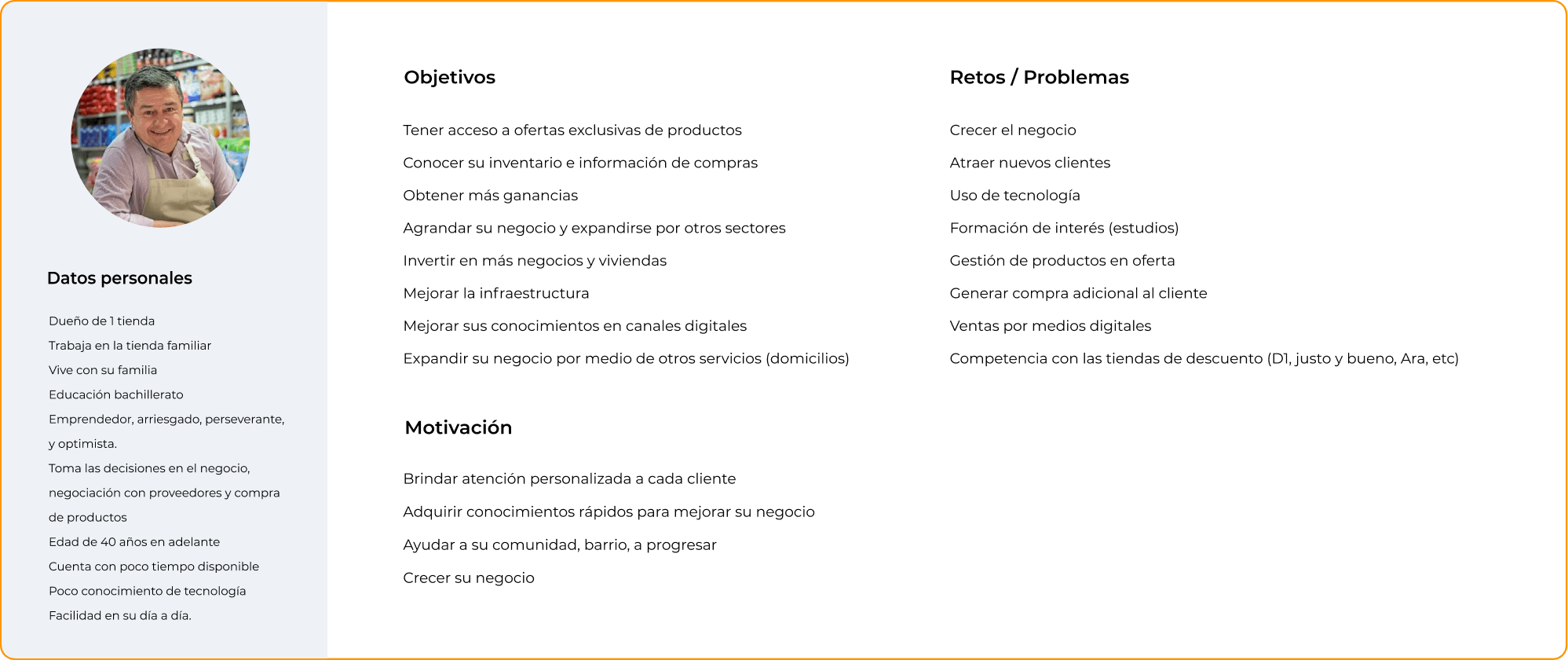
User Persona shopkeeper
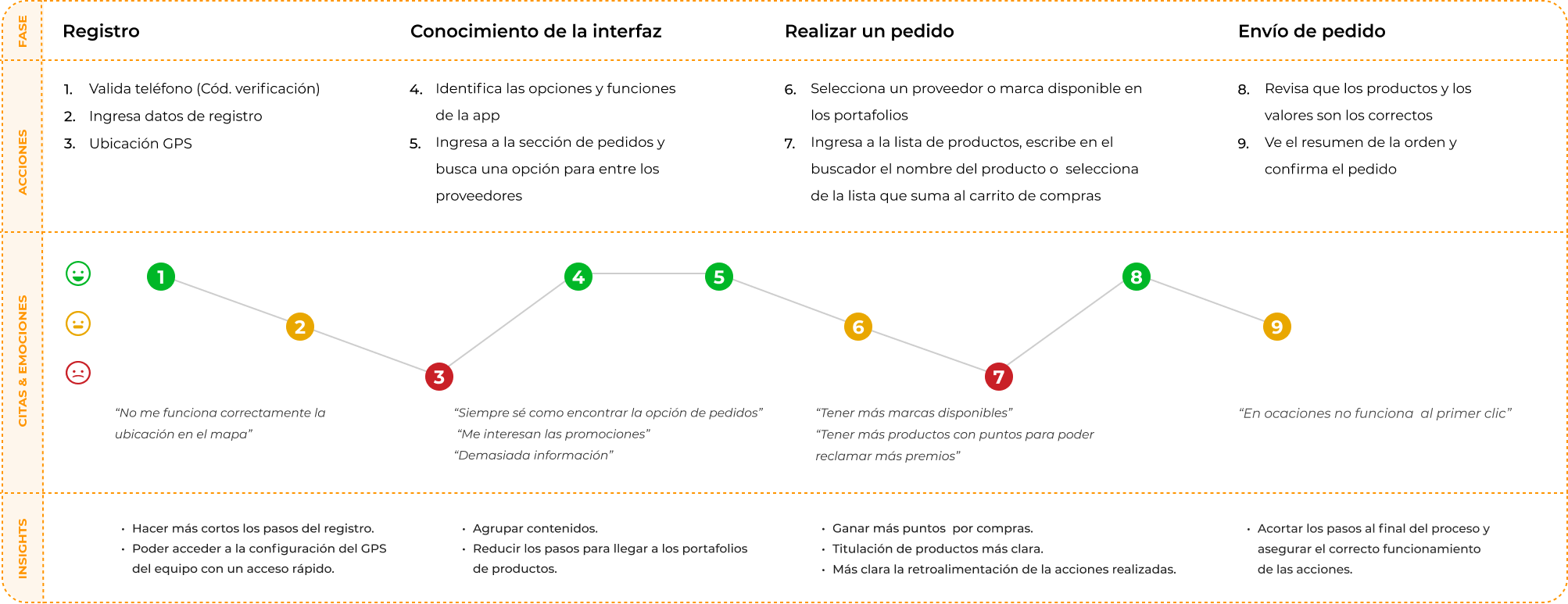
User Journey
Scenery
Look for the products to be able to supply your business.
Objectives
Easily find products that help you stock your business and take advantage of promotions to improve your profits.
Pain points
Following up with users while they were carrying out the exercise of placing an order, we found that in general the experience is satisfactory, but in the process we detected the following pain points:
 Users cannot easily register.
We find that some users can get overwhelmed with so many options that the startup has and prefer to wait for the seller to take the order for them.
They do not find their purchase categories quickly.
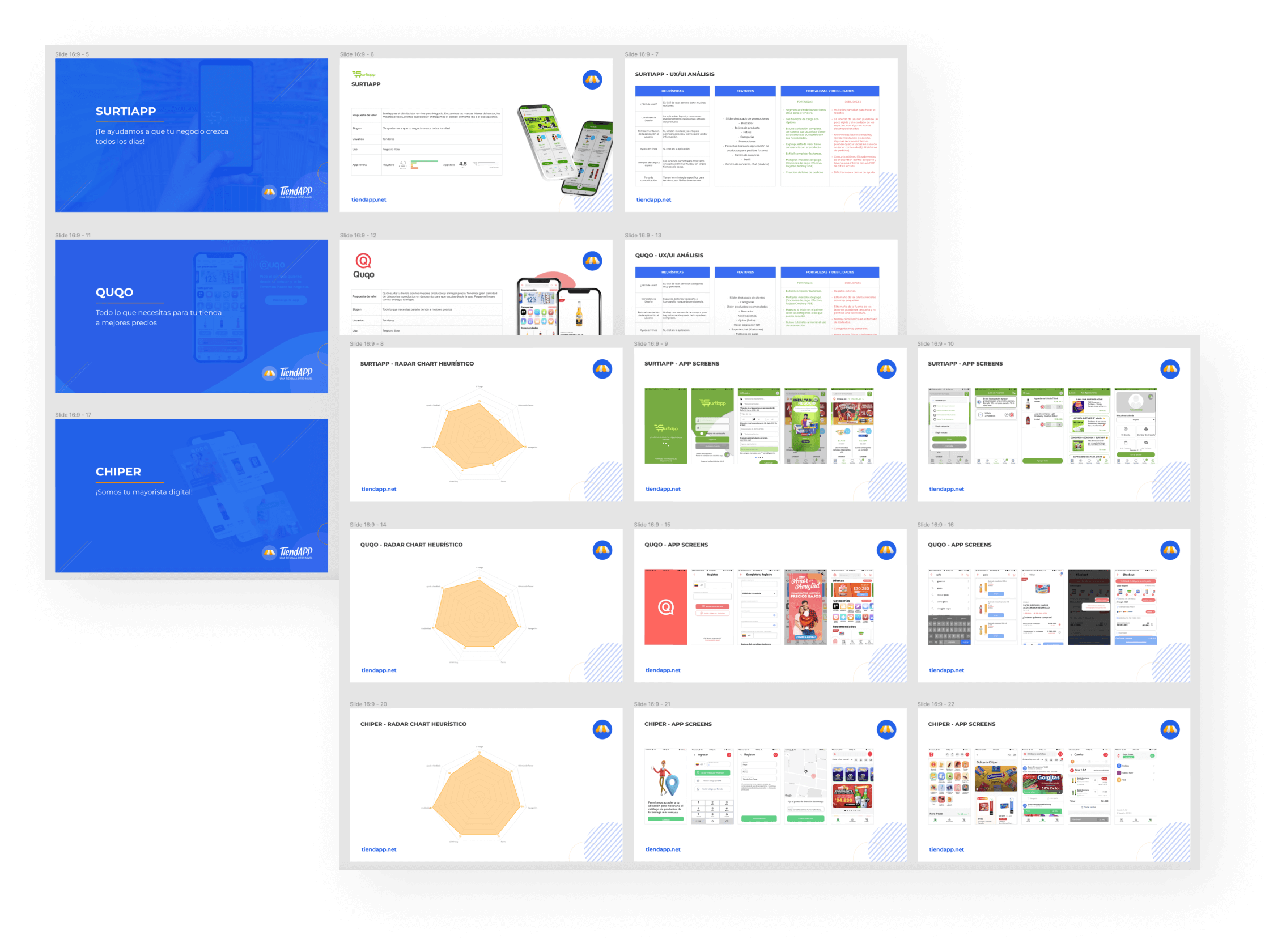
Competitive Analysis
What are we trying to achieve?
∙ Understand our competitors.
∙ Competition value proposition.
∙ What are the advantages and benefits offered by competitors?
∙ Find new features.
∙ Strengths and weaknesses of each of our competitors.
Contents
1. Objectives of competitive analysis
2. Competitors
3. Competitive table
4. Conclusions
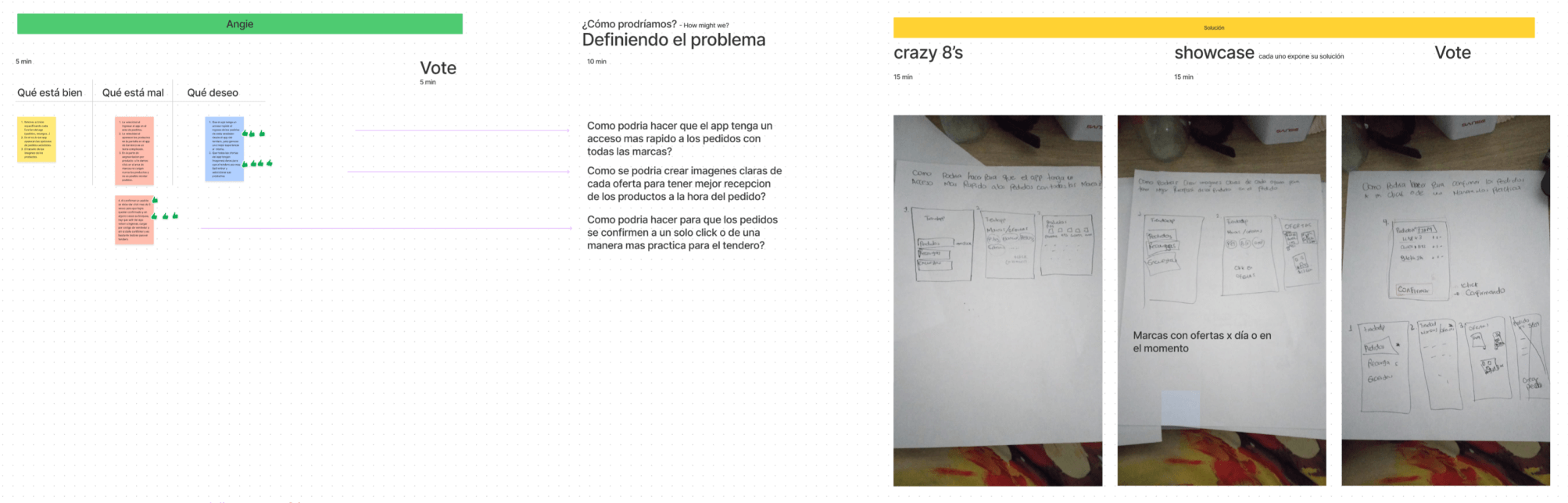
How-Might We? - Crazy 8’s
After finding those pain points in navigation, a workshop is held with the field team. They have direct experience in the use of the application with the shopkeeper that helps us understand that other aspects and functionalities can be created or improved.
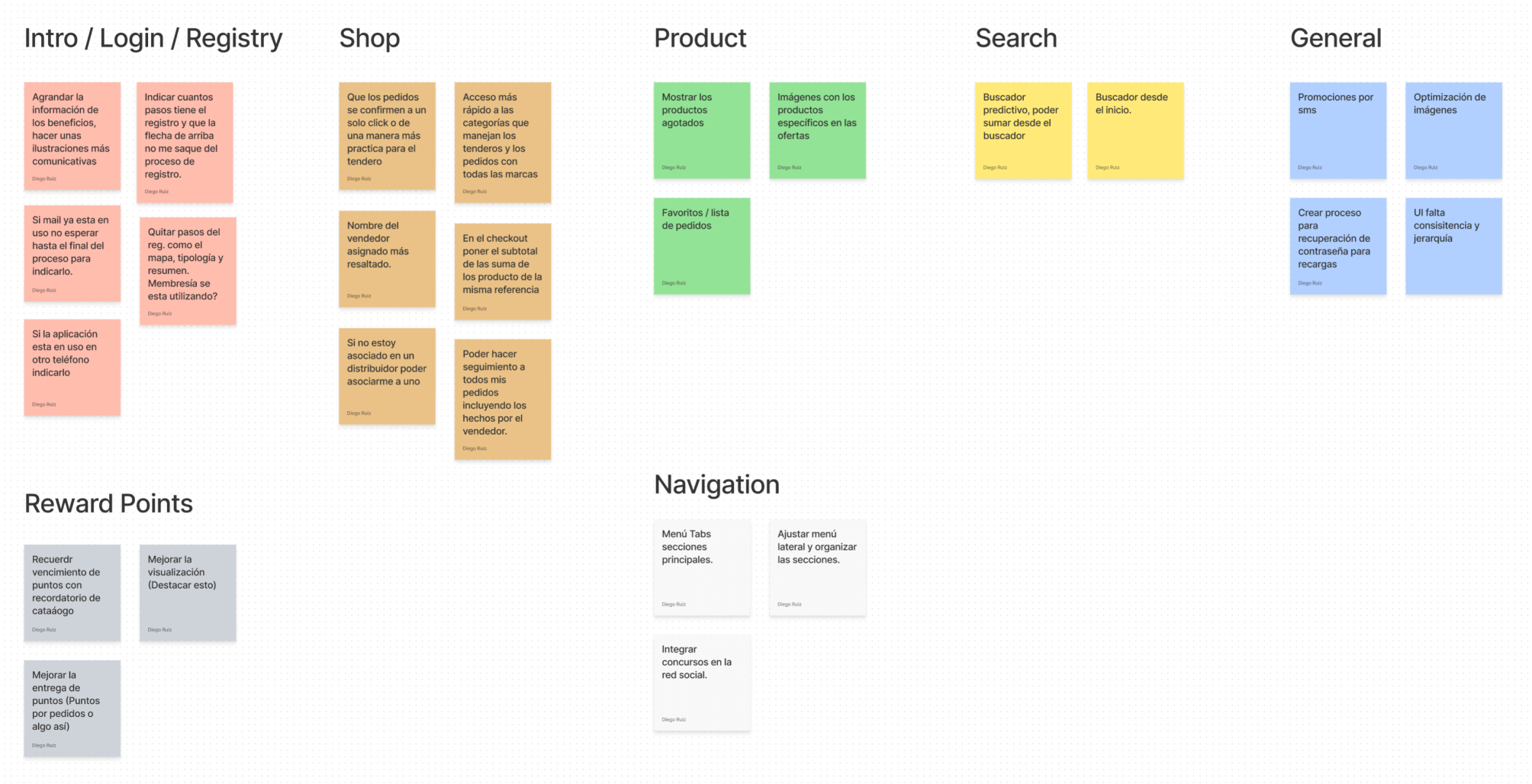
Solution Ideas / Affinity Diagram
At this stage we took the collected ideas from the whole process of empathizing and after that, we grouped the ideas that shared the same concept in an Affinity Diagram.
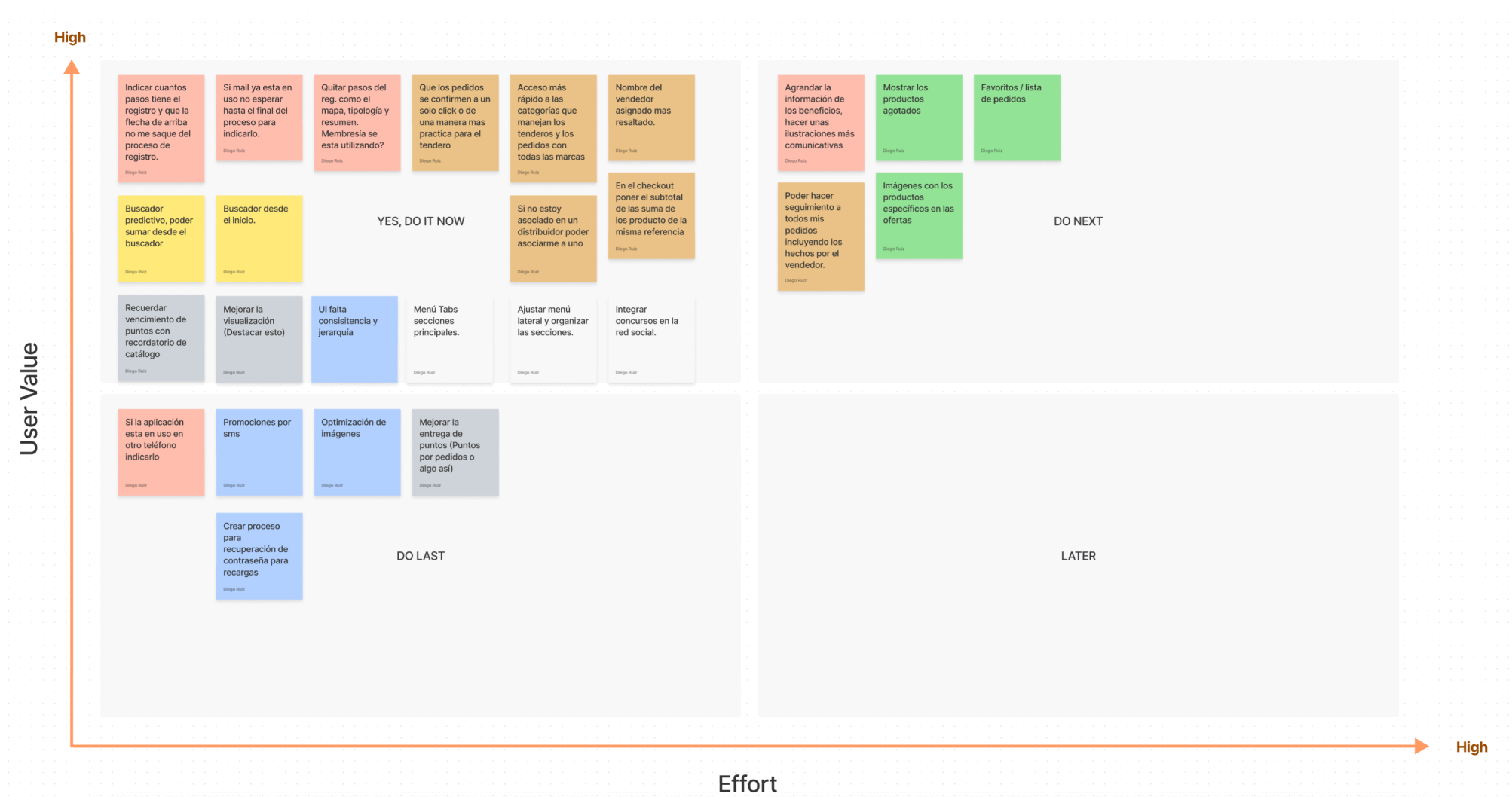
Idea Priorization Diagram
Once the Affinity Diagram is done, we order the ideas in the Ideas Prioritization diagram. Ideas were ranked by effort and user value.
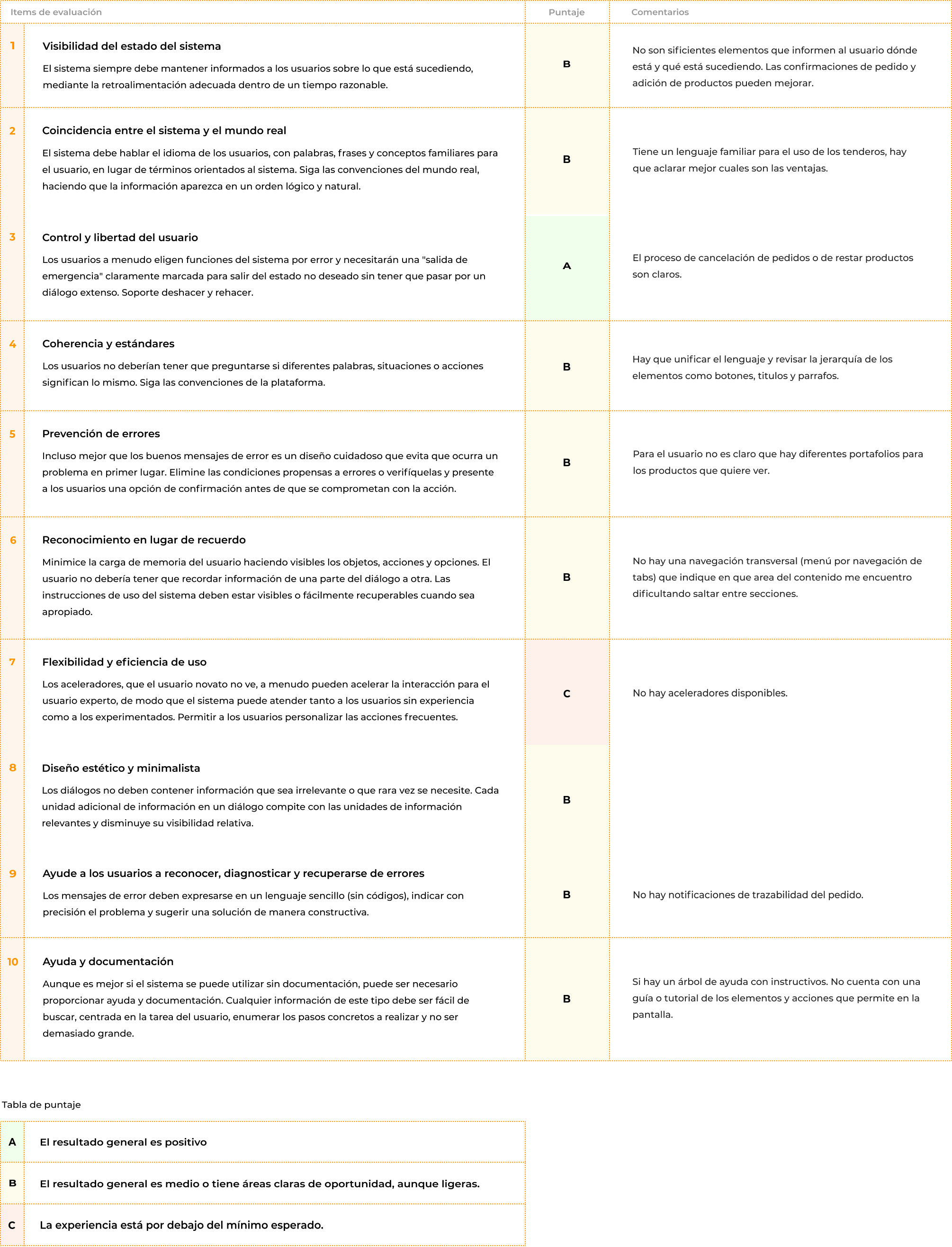
Heuristic analysis
Heuristic analysis is a system for evaluating interfaces and processes carried out by an expert researcher based on the principles of the Human-Computer interaction discipline. For this we use the principles of Jakob Nielsen as a basis.
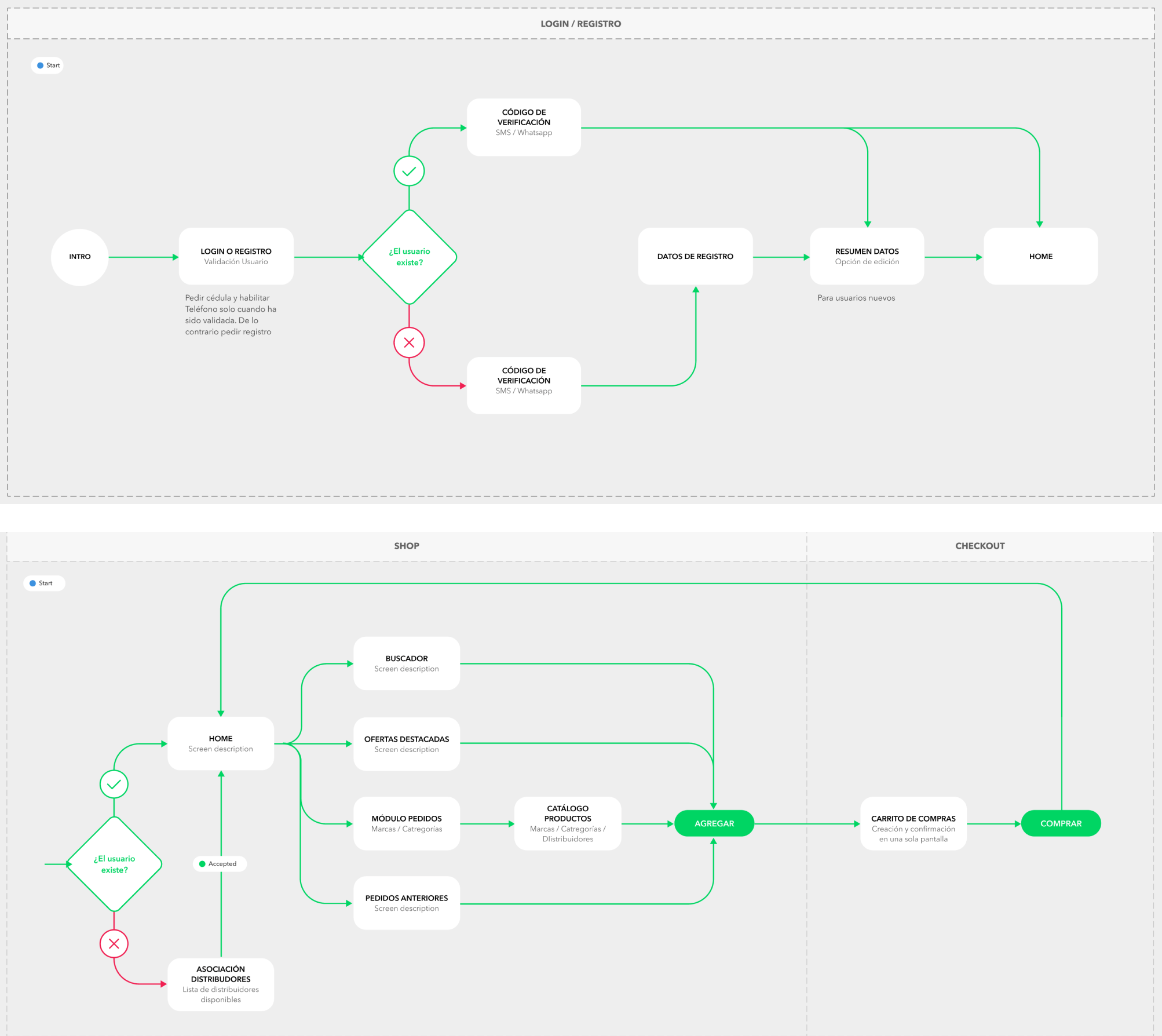
User Flows
The first step in the prototyping stage is to create user flows. Flows were created for the main functions, which are Registration/Login and Purchase.
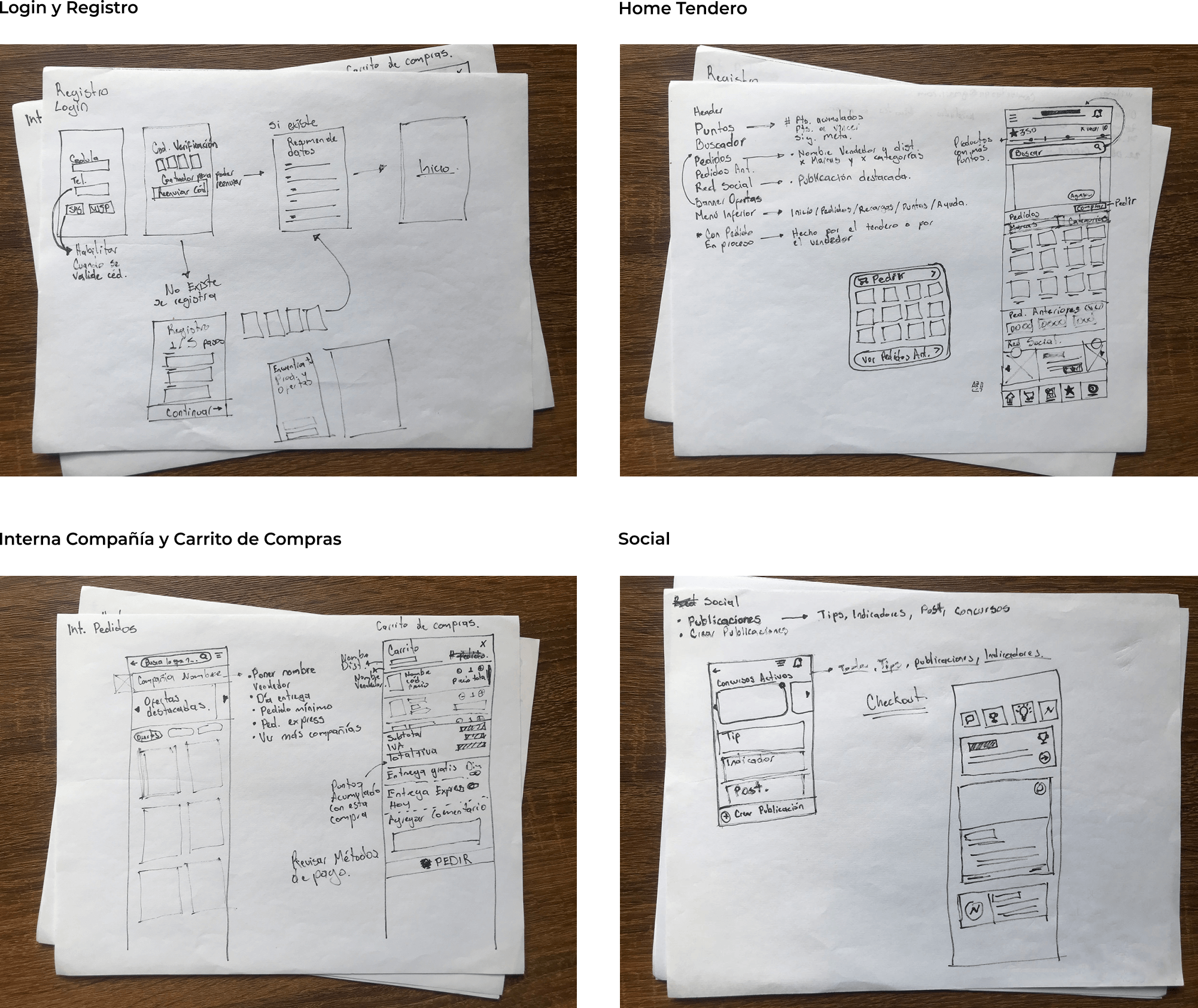
Wireframes
The next step is to create the wireframes for the main features based on the created user flow.
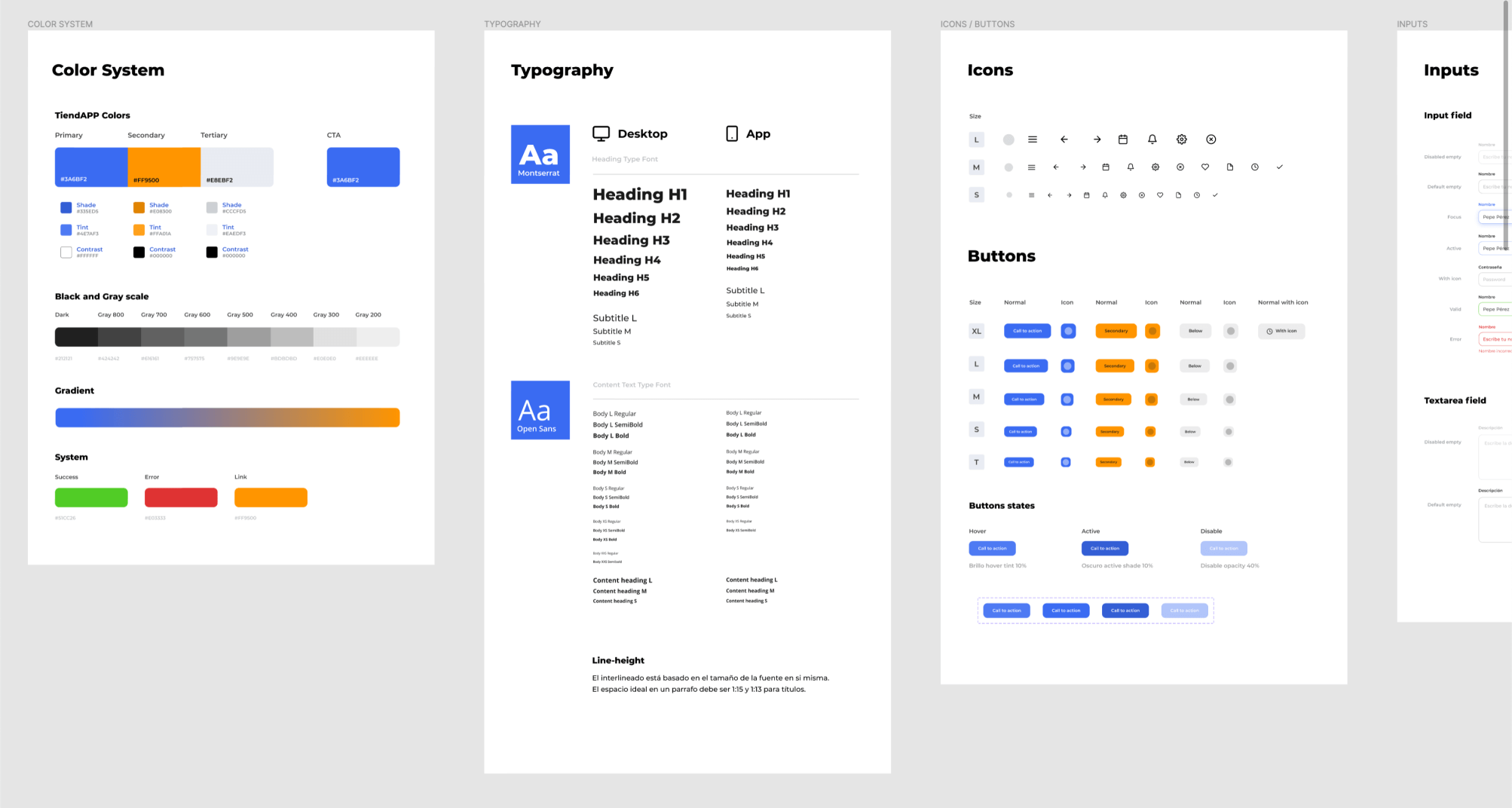
Design System
This is a guide that brings together all the elements that will allow teams to design, create and develop the company's digital products.
Prototype and Testing
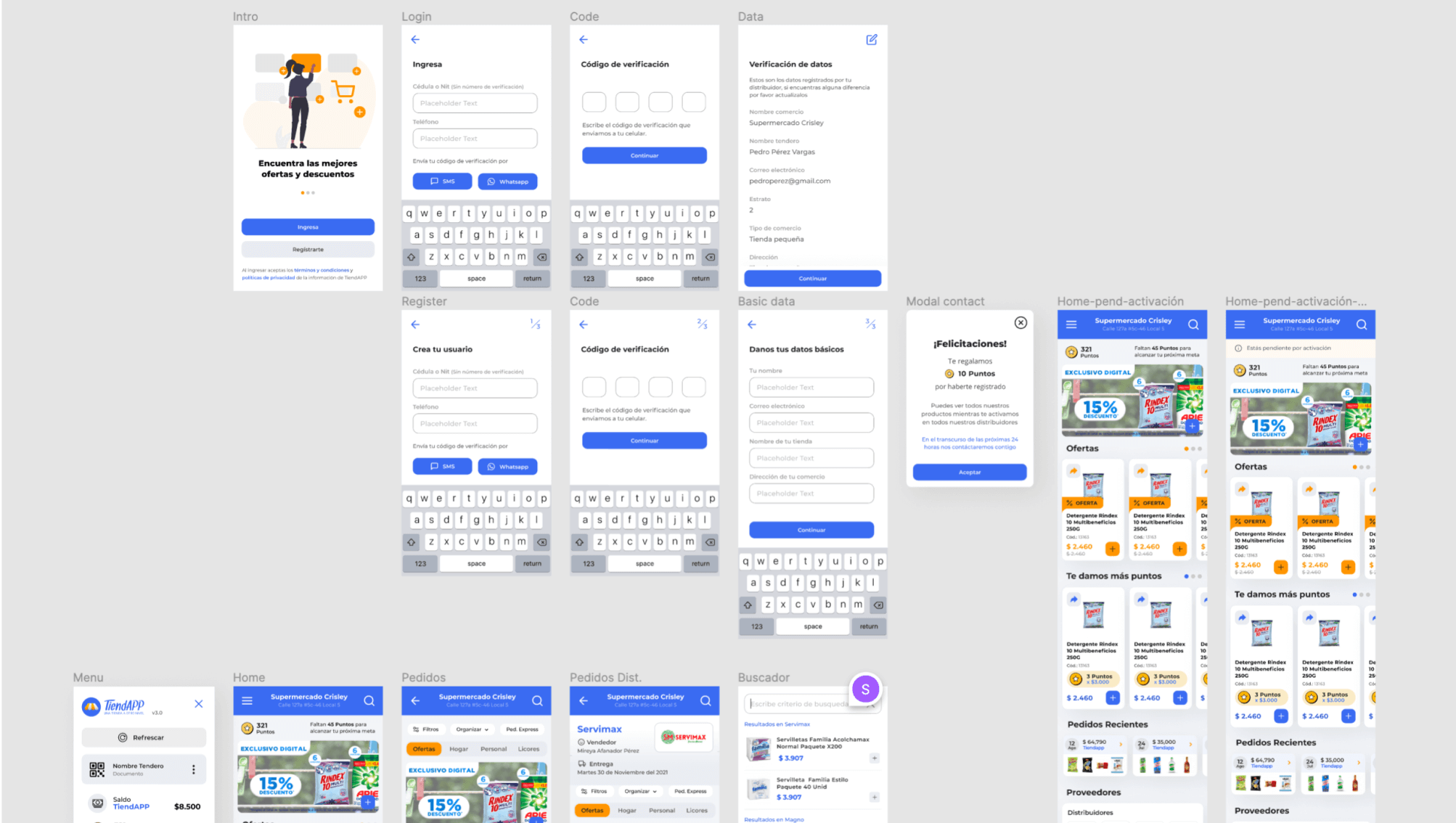
After an iteration of the design thinking process, a prototype was created to redesign the Tendero TiendAPP application. The design was aimed at solving the problems that were present in the existing application. The main focus was to provide users with a flowing system that was easy to understand, an intuitive interface, and to address user frustrations.
It continued in a Testing stage, where interviews were made to the user testing the new prototype. To review the results of the interviews, we used a System Usability Scale (SUS) to measure its usability. We iterate on the new findings and validate with the users again.